

Server Rack Management Fundamentals
Learn how to organize, cable, and maintain server racks effectively. Covers spacing, thermal management, and cable routing best practices.
Read More
Maximize network performance by implementing proven strategies for traffic prioritization, bottleneck identification, and efficient capacity planning
Bandwidth isn’t unlimited, and it’s expensive. When networks aren’t optimized, you’re essentially paying for unused capacity while critical applications suffer from congestion. The real cost isn’t just in the fees you’re paying to your ISP — it’s in lost productivity, degraded service quality, and frustrated users.
We’ve seen data centers waste thousands in monthly bandwidth costs simply because they weren’t monitoring traffic patterns or prioritizing applications intelligently. The good news? Most optimization techniques don’t require major infrastructure changes. They’re about being strategic with what you’ve already got.
Real-time visibility into what’s using your bandwidth is the foundation of optimization
Not all traffic deserves equal bandwidth. QoS ensures critical services get what they need
Smart compression techniques reduce data volume without sacrificing quality
Before you can optimize anything, you need to see what’s actually happening on your network. Most organizations don’t realize they’re flying blind until a performance issue forces them to investigate.
Proper monitoring gives you visibility into bandwidth consumption by application, department, or user. You’ll spot the culprits quickly — maybe it’s a backup job running during peak hours, or a misconfigured video streaming service consuming far more than necessary. These tools collect data continuously, showing you trends over hours, days, and weeks.
Set up baseline measurements first. Once you know your normal traffic patterns, anomalies become obvious. We recommend starting with Netflow or sFlow — these give you packet-level insights without overwhelming your monitoring infrastructure.


This is where bandwidth optimization gets tactical. QoS (Quality of Service) lets you control how bandwidth gets distributed across your network. Instead of treating all traffic equally, you’re making intelligent decisions about priority.
Think of it like traffic management on a highway. During rush hour, you might designate certain lanes for commercial vehicles or carpools. QoS does the same thing for data. Video conferencing might get priority over file downloads. Database queries get preferential treatment over casual web browsing. It’s not about blocking traffic — it’s about ensuring critical applications get the bandwidth they need when they need it.
Configure QoS policies based on your organization’s actual needs. You’ll define traffic classes, set priority levels, and establish bandwidth limits. Most modern switches support QoS natively, though you’ll need to configure it properly to see real benefits. Start with your most critical applications and work outward from there.
Bottlenecks are the choke points where your network can’t move data as fast as it should. They’re often hiding in places you wouldn’t expect — not always where you think the problem is.
Common bottleneck locations include: oversubscribed links between buildings, undersized connections from your data center to the internet, poorly configured switches causing packet loss, or outdated network interfaces. The tricky part? A bottleneck in one location might not show up as a problem until you’re under heavy load.
Use packet capture and flow analysis to trace where delays actually occur. Sometimes upgrading a single 1GB link to 10GB eliminates the entire problem. Other times you need to redistribute traffic across multiple paths using load balancing. The solution depends entirely on where the actual constraint lives.

Learn how to organize, cable, and maintain server racks effectively. Covers spacing, thermal management, and cable routing best practices.
Read More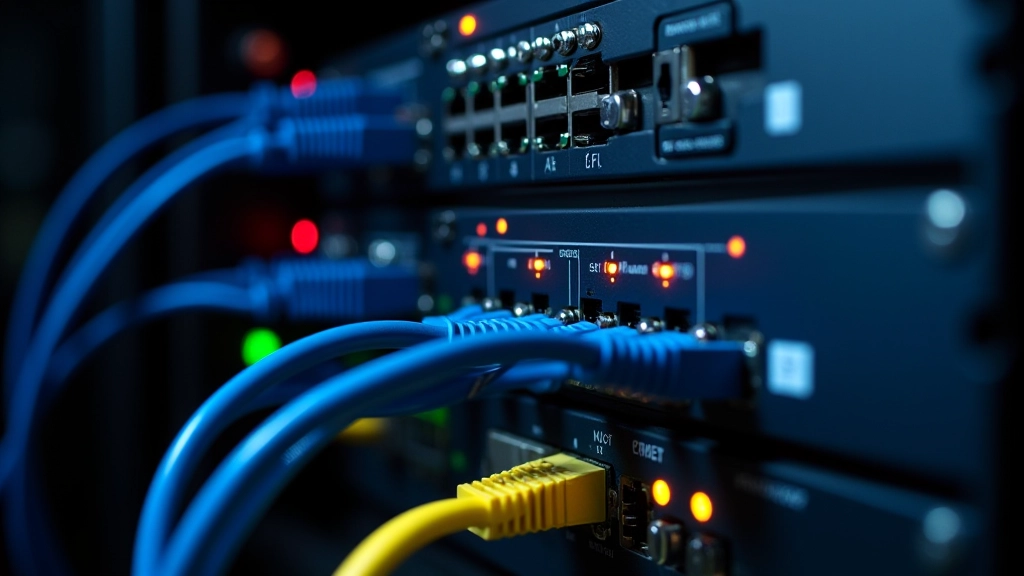
Understand how to design redundant systems that keep operations running during equipment failures or maintenance windows.
Read More
Master the standards for organized cabling systems. Covers CAT6A specifications, termination standards, and documentation practices.
Read MoreThis guide provides educational information about bandwidth optimization techniques. Individual network environments vary significantly, and results depend on your specific infrastructure, applications, and traffic patterns. Always test optimization changes in a controlled environment before deploying to production systems. Consult with network professionals familiar with your particular setup for guidance tailored to your organization’s needs.
Optimization isn’t a one-time project — it’s an ongoing process. Your network usage patterns change. New applications get deployed. User counts grow. What worked perfectly six months ago might be insufficient today.
That’s why capacity planning matters as much as optimization. Monitor trends over time. You’ll start seeing patterns — seasonal spikes, gradual growth, unexpected surges. These patterns tell you when you’ll need to upgrade capacity. Plan upgrades before you hit limits, not after users complain about slowness.
The organizations getting this right are doing three things consistently: monitoring their networks continuously, implementing intelligent QoS policies, and planning capacity upgrades based on actual data rather than guesswork. It’s not complicated, but it does require attention and discipline. Start with monitoring, move to QoS implementation, then let the data guide your capacity decisions. You’ll be surprised how much performance improvement you can achieve without necessarily spending more money — just spending it smarter.

Editorial Team
Written by the CoreStack Infrastructure editorial team, focused on practical, honest guidance for data center and network infrastructure professionals.